How to Use This Guide
This guide explains how organizations can design, produce, and scale high-quality training video programs without sacrificing clarity, consistency, or budget control. If you’re evaluating a long-term training video production strategy, whether building internally or working with a partner, this guide outlines the systems behind scalable execution.
For teams exploring external support, our Training Video Production Services page for an overview of how these programs are structured and delivered.
This guide is written for:
- L&D and enablement leaders responsible for corporate training videos
- HR and People Ops teams producing employee training videos
- Operations, compliance, and internal training teams
- Studios producing long-form instructional videos and corporate training content.
You do not need to read this guide linearly. Use the table of contents to jump to the sections most relevant to your role or stage in your training program!
Why Training Video Production Historically Failed to Scale
For years, training teams hit the same wall.
They understood how to teach employees in intimate settings, but producing large-scale training video was very difficult.
Without the right workflow, teams fall back on screen shares, narrated slides, and quick webcam demos. These formats are easy, but rarely effective for instructional video at scale.
Better alternatives exist, but each comes with key limitations.
- LMS platforms support assessment and tracking well, but they are not designed for clear visual explanation in training video systems.
- DIY tools are templated, rigid, and difficult to adapt to brand or complex processes.
- Traditional video production delivers the strongest results, but was historically too slow and expensive for sustained training video programs.
After hundreds of client conversations, a clear pattern emerged.
Organizations invest heavily in training infrastructure, but effective video training remains the weakest link.
Everyone knows that video is one of the most effective ways to teach when in-person instruction is not feasible, but very few teams can produce video content with the clarity, consistency, or affordability required to scale.
So we began to ask a simple question:
Could the bottleneck of producing high-quality training video that is actually affordable be solved?
Over the past five years, we’ve built a deep and broad system that does exactly that. This guide will show you how to apply those methods to real-world training video systems.
Let’s start solving your video challenges.
So what ARE training videos?
A core feature of effective instructional video production is that it becomes more efficient as more minutes are produced and more topics are covered. This is especially true for employee training videos designed to scale across teams.
We call this “scaled video production.”
Scaled video production:
A system designed to deliver large amounts of video content clearly, consistently, and affordably over time, through optimized communication, structured workflows, and well-aligned teams. It includes shared libraries of reusable graphics, visual methods, and motion presets, which allow productions to become faster, more predictable, and more affordable as they scale training video workflow.
But creating video at scale alone doesn’t define an effective video. Strictly defined, a strong video training program shares three core qualities.
It must be:
Instructionally aligned
Every moment serves a training objective. There may be a lot of information, but nothing is wasted.
Visually intentional
Design, illustration, and layout work together to reduce noise and highlight what matters most to the learner. This is essential for clear organizational videos.
Motion with meaning
Animation isn’t decoration. Motion is a teaching tool that directs attention, reveals relationships, and simplifies complexity.
When these factors come together, videos become one of the most effective asynchronous tools available, capable of clarity and consistency that live training can’t always provide.
Core training video styles
Within video production, there are a few core styles that consistently perform well at scale in corporate training videos.
The decision around which format to use varies. Some HR or L&D teams come in with a preferred approach, while others look to a video partner for recommendations.
No matter who leads the decision, the starting point is always the same:
A clear understanding of the training objective.
Once you know what employees need to walk away being able to do, it becomes much easier to identify the format that will convey the material most effectively in instructional training videos.
Modern instructional videos typically relies on three primary formats:
1. Animation-Only Training Videos
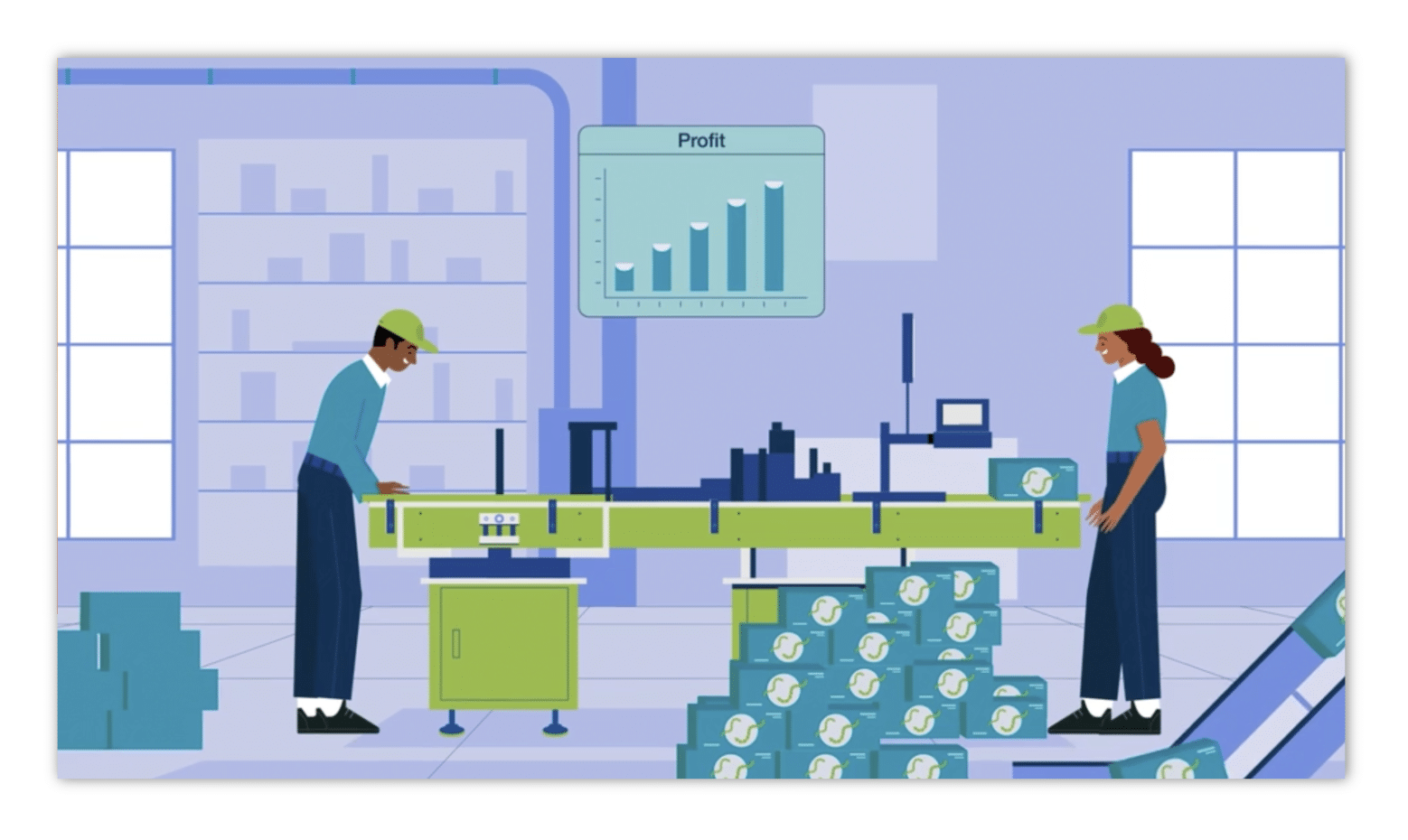
Why it works:
Animation gives complete control over pacing, diagrams, labeling, and sequencing. In training, this allows complex or abstract ideas to be simplified visually and revealed one step at a time without distraction. This makes animation especially effective for where clarity and structure matter most.
Best for:
Multi-step workflows; abstract concepts; compliance logic; technical processes; software and systems training; and videos that don’t translate well on camera.
2. Host-Led Training Videos with Integrated Animation
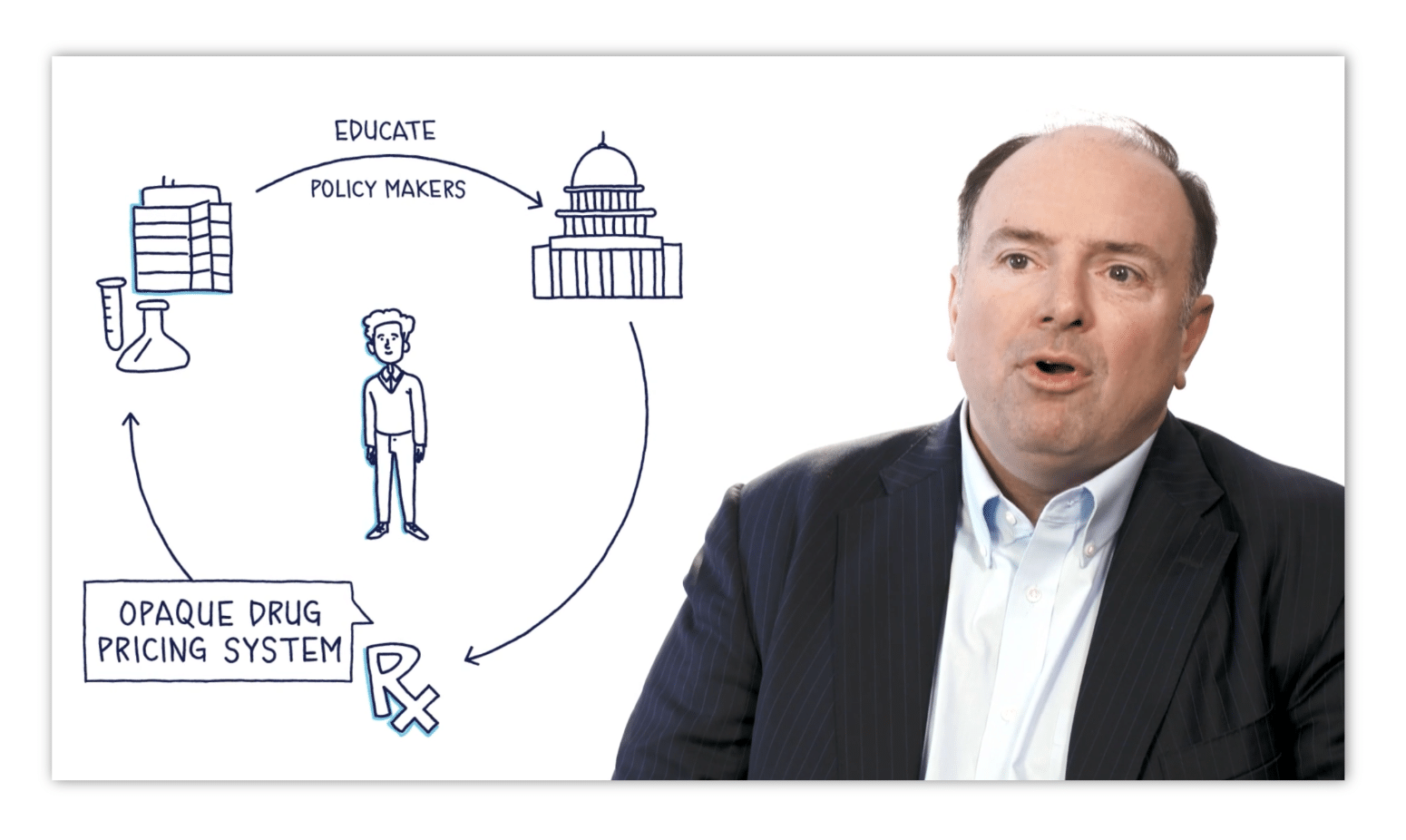
Why it works:
A human presenter provides tone, presence, and relatability, while animation supports diagrams, examples, callouts, and process visualization. This format balances human connection with clarity, making it effective for programs that benefit from guidance and reinforcement.
Best for:
Soft skills and communication topics; leadership and behavioral videos; programs that require narrative structure; lessons where human presence improves engagement; long-form employee training videos.
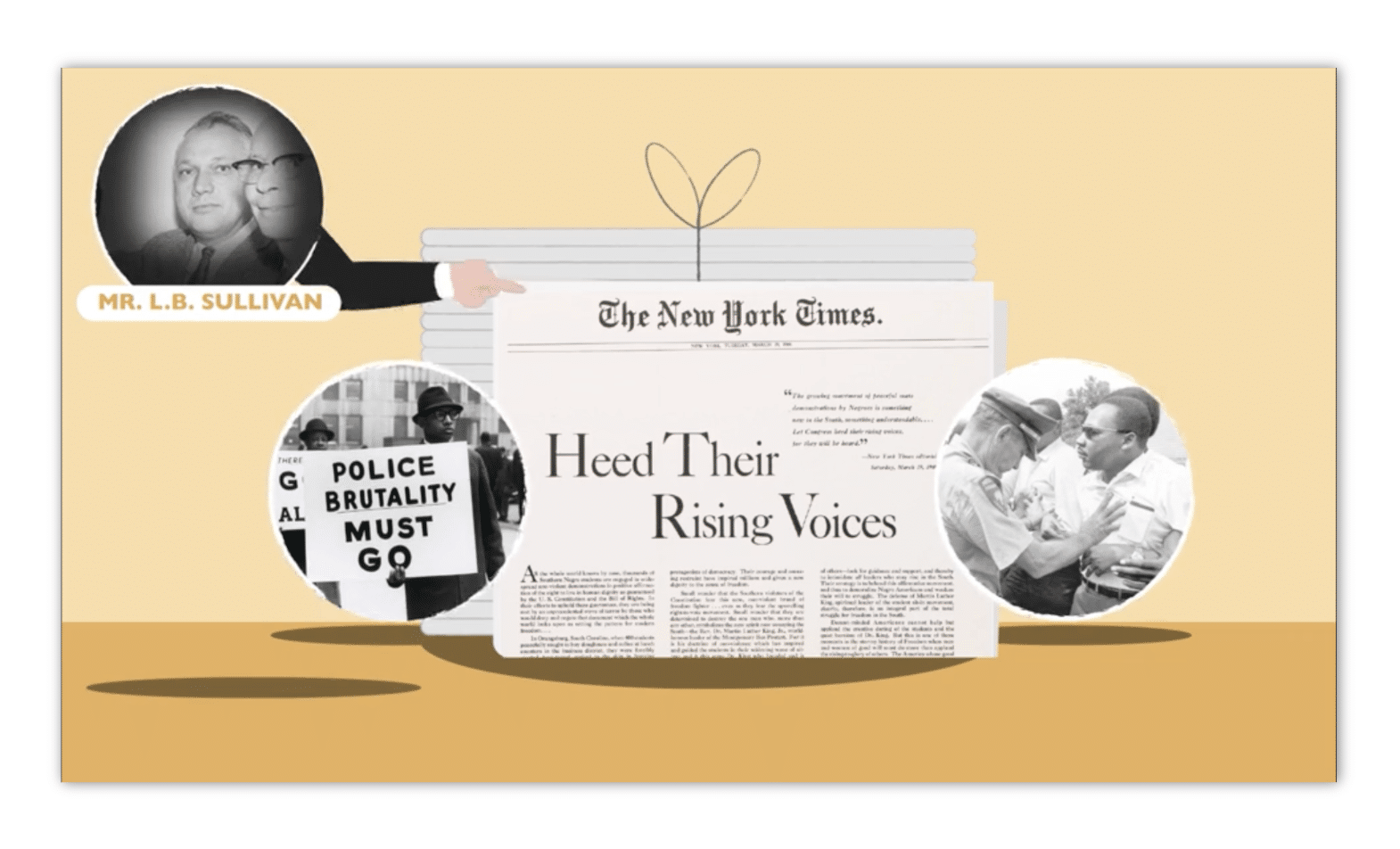
3. Mixed Media Training Videos

Why it works:
No single medium solves every training challenge. Blended formats use each medium where it performs best: animation for complex ideas, presenters for guidance, and selective live-action or visuals for context. This creates flexible training videos that sustain engagement over time.
Best for:
Enterprise-level corporate training videos; multi-phase or multi-topic programs; employee videos that shift between explanation, example, and demonstration; any videos requiring variety to maintain attention.
So how do I choose the training video style?
At the end of the day, selecting the right format is a training decision. When the medium aligns with the objective, the resulting videos are clearer, more engaging, and more effective. Once the objective is clear, format selection becomes a strategic decision rather than a stylistic one.
It’s a decision that deserves team-wide consideration, but here’s a cheatsheet to get you started.
| If the material requires… | The strongest format is… | Because… |
|---|---|---|
| Pure clarity of concepts or processes | Animation-Only | It removes noise and focuses attention on the idea itself. |
| Human tone, presence, or modeled behavior | Host-Led with Integrated Animation | People understand people best; animation does the explanatory work. |
| A balance of explanation, real-world context, and cost efficiency | Mixed Media / Blended | Each idea gets the medium that explains it best. |
Pre-production foundations
Let’s talk project organization.
Before training video production begins, two things must be true:
- Your approach must be clear (format, scope, expectations)
- The team must be aligned (roles, responsibilities, review process)
Everything downstream—script, storyboard, design, illustration, animation—depends on this foundation.
Here are your steps:
1) Decide and prepare your approach
If animation-heavy
- Gather a few references for tone and clarity (even rough examples help).
- For training videos, aim for clean, paced styles—not complex character animation.
- Early references reduce style drift and keep the project scalable.
If host-led
- If a studio produces your videos, they’ll handle technical setup.
- Your role: prepare presenter, script, and supporting materials so filming stays efficient.
- If producing internally, you’ll manage recording or hire a host and validate quality.
If mixed media
- Outline how animation, live action, and b-roll will work together in your video plan.
- Identify what footage exists vs what must be sourced.
- Early clarity prevents unnecessary animation and keeps costs down.
2) Assemble your team
Option 1: Hire a video production team
A strong studio doesn’t just execute tasks—it runs the pipeline. For large programs, studio leadership is often the difference between scalable consistency and slow chaos.
PRO TIP
Questions that reveal operational maturity:
- Can you talk to me about your storyboard process?
- How do you maintain design consistency across modules?
- How do you keep animation scalable and efficient?
Expect the training video production studio to request a single point of contact on your side. This keeps feedback consolidated and prevents revisions from scattering across teams.
For a concrete example of how this role functions in practice, the eLearning video Motifmotion made for it’s clients walks through the responsibilities and handoffs in more detail.
Option 2: Assemble and manage a training video team yourself
This can be more affordable, but it usually only works if you have an internal lead who is:
- Deeply involved
- Capable of creative direction
- Able to prioritize timely feedback
Importantly, the person described here isn’t the same as a project manager. While project management is essential, a creative director ensures that visuals support narration in training videos, maintains consistency across modules, controls pacing and clarity, prevents style drift, and coordinates handoffs and review cycles.
Without that leadership, freelancer teams optimize for their own time, and quality tends to fragment.
Okay, so let’s say you are assembling your own team. Where do you find the creatives you need? Here are some of our favorite choices for places to source talent and content.
Typical roles + sourcing
- Animator — Behance
- B-roll — Envato Elements
- Voiceover Artists — Voice123
- Music — Soundstripe
Once your talent is fully sourced, you’ve got to think very seriously about project organization. How do you make the full machine operate? Here’s how:
PRO TIP
Track the workflow—or the workflow will track you
- Scripts must be approved before storyboards
- Storyboards complete before illustration
- Illustration complete before animation
If you hire a studio to run production end-to-end, this matters less (they own the system). If you’re producing in-house, it matters a lot.
Video and animation are uniquely interdependent.
When any phase moves forward without full alignment, revisions multiply and costs rise.
Workflow tracking protects you from hidden bottlenecks by keeping:
- sequence intact
- handoffs clean
- approvals explicit
- versions controlled
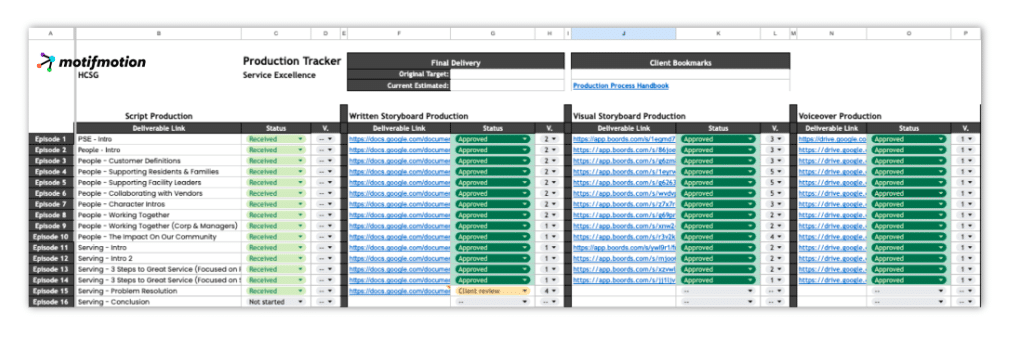
Some teams use Asana, Trello, or Monday. We prefer a spreadsheet tracker because it’s flexible and makes version control explicit.
Here is a free template you can adapt and use, should you wish.
The Production Pipeline
Where budgets are actually won or lost
Once pre-production alignment is complete, the project moves into the production pipeline. This is where most training video productions either stabilize into a repeatable system or quietly spiral into rework, delays, and inflated cost.
The critical thing to understand is that each production phase fully depends on the one before it. Decisions made early compound efficiency. Decisions made late compound cost. There is very little “fixing it later” without consequences.
Script Writing — How to Write a Teaching-Focused Script
Script writing is the first point where instructional clarity becomes non-negotiable in training video scripting. Across industries, teams repeatedly make the same mistake: they write video scripts the way they write documents.
That does not work!
Training video is a paced medium with hard limits. Narration typically runs at about 125–150 words per minute, learners can only process so much while visuals appear, and dense sentences or layered explanations overload comprehension quickly. A strong video script respects these constraints instead of fighting them.
Start with structure, not narration
Before writing full narration, the most reliable approach is to build a content outline and force prioritization early. One effective method is to color-code ideas by importance.
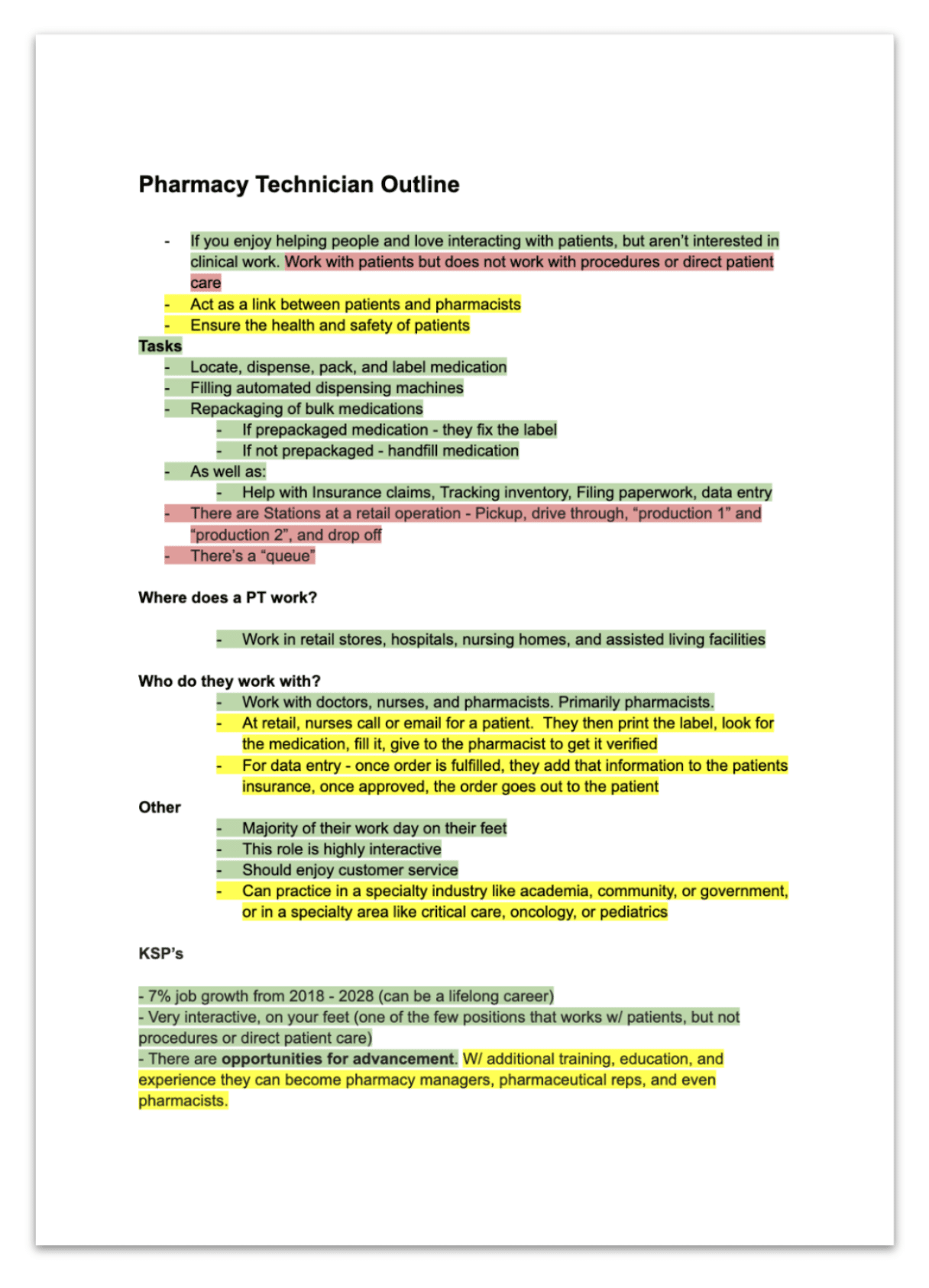
This step prevents overload before it happens and forces early tradeoffs, when tradeoffs are cheap. Only after this prioritization does full narration begin.
Write in teaching beats
For long-form training productions, scripts should be built in teaching beats: small, digestible units where the learner absorbs one idea before moving on. Beats define pacing, create natural visual breaks, and make SME review far easier by focusing attention on one concept at a time.
At the sentence level, write for spoken delivery. Keep lines short and direct. Separate definitions from explanations. Use explicit transitions so learners never have to infer what comes next.
A strong instructional script often includes:
- a brief orientation
- teaching delivered in beats
- optional reflection or practice prompts
- a concise recap or transition
The structure varies by topic, but the goal stays the same: write a script that is teachable, speakable, and reviewable.


Style Development and Design
Defining the visual system
Style development is where the visual and communicative identity of the program is defined. It establishes the rules every scene will follow: layout, color, illustration style, hierarchy, and compositional logic.
This phase is often underestimated—and that’s why it causes problems later.
Style development is not just about choosing a “look.” It is about defining a system. A strong visual system supports clarity instead of decoration, reduces decision-making later, and makes scaling across modules possible.
Style development is typically handled by a designer or an illustrator with strong design thinking. Not all illustrators can define systems; many can only execute within an existing one. Portfolio review should confirm this distinction.
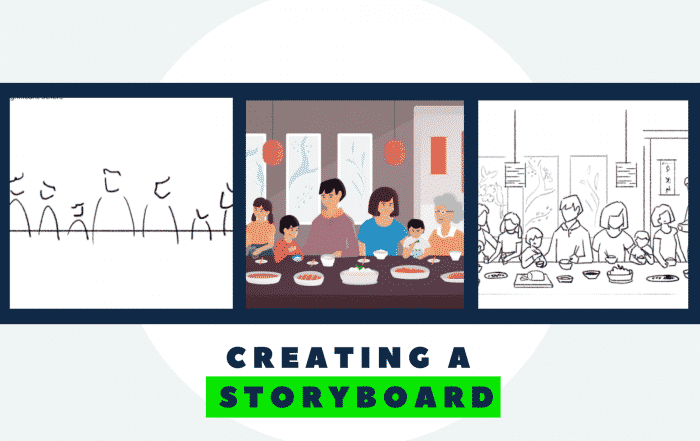
Storyboarding
The bridge between script and video
Storyboarding is where instructional intent becomes a visual plan. It is the stage where complexity is assigned appropriately and where expensive confusion is prevented before it happens.
There are two common forms:
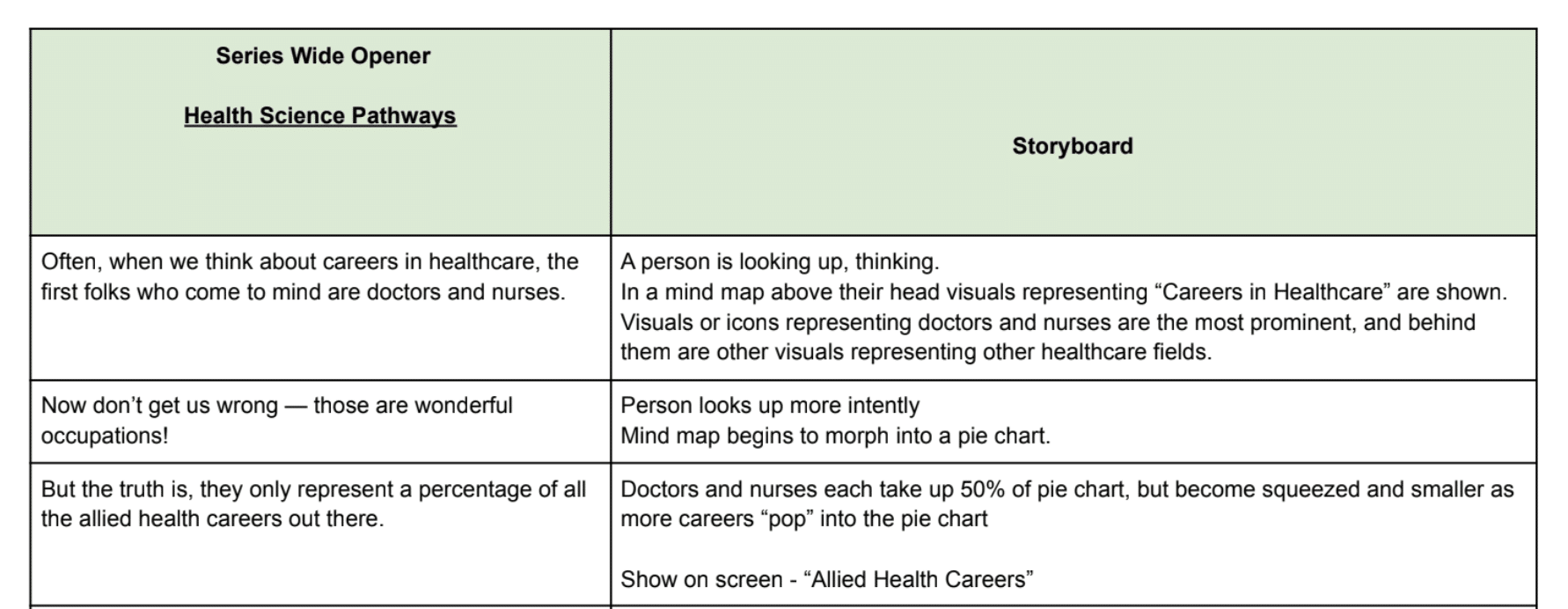
- Text storyboards: narration paired with written descriptions of what appears on screen
- Visual storyboards: simple sketches that clarify framing, timing, and movement
Text storyboards are fast and flexible. Visual storyboards add razor sharp clarity. Many projects use both – depending on needs and budget. What matters is using this stage to make decisions before production begins.
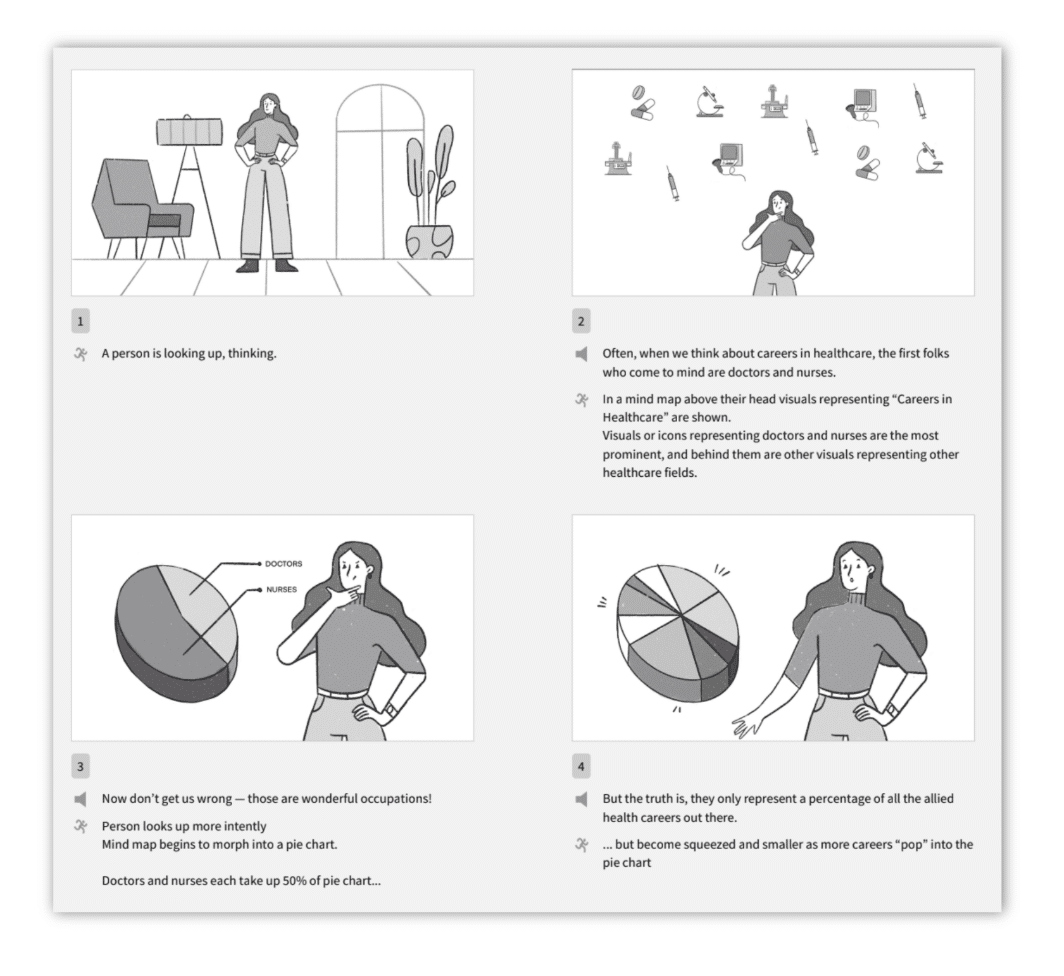
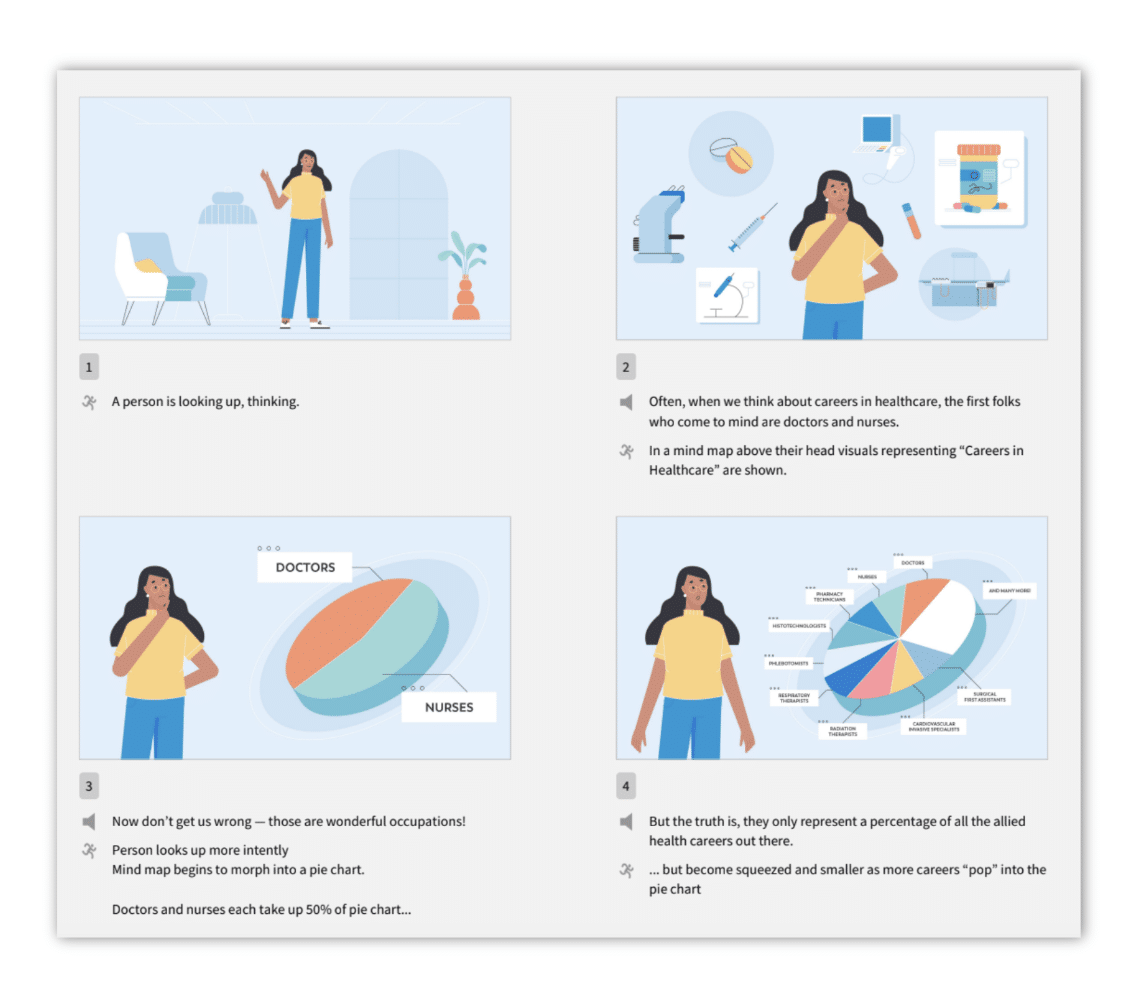
Good storyboarding answers questions like:
- Does this moment need a visual at all?
- What level of illustration is appropriate here?
- Should this be a diagram, a metaphor, or just narration?
Illustration
Teaching through visuals
Illustration is one of the most powerful teaching tools in training video productions. Strong visuals simplify complexity, guide attention, reinforce structure, and create consistency across modules.
High-quality illustration does not require flourish. It requires clarity, brand alignment, and repeatability.
Common illustration approaches include:
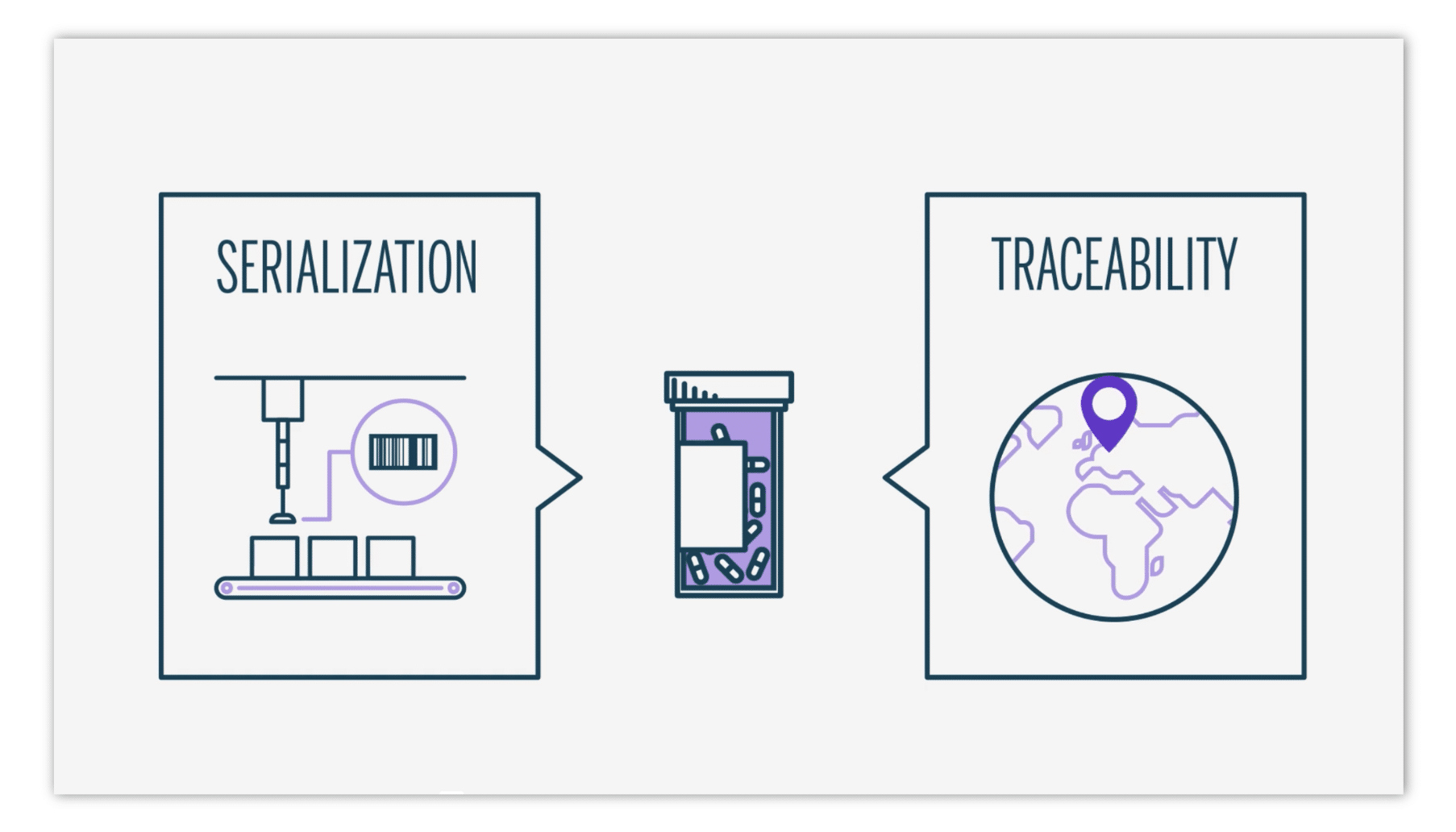

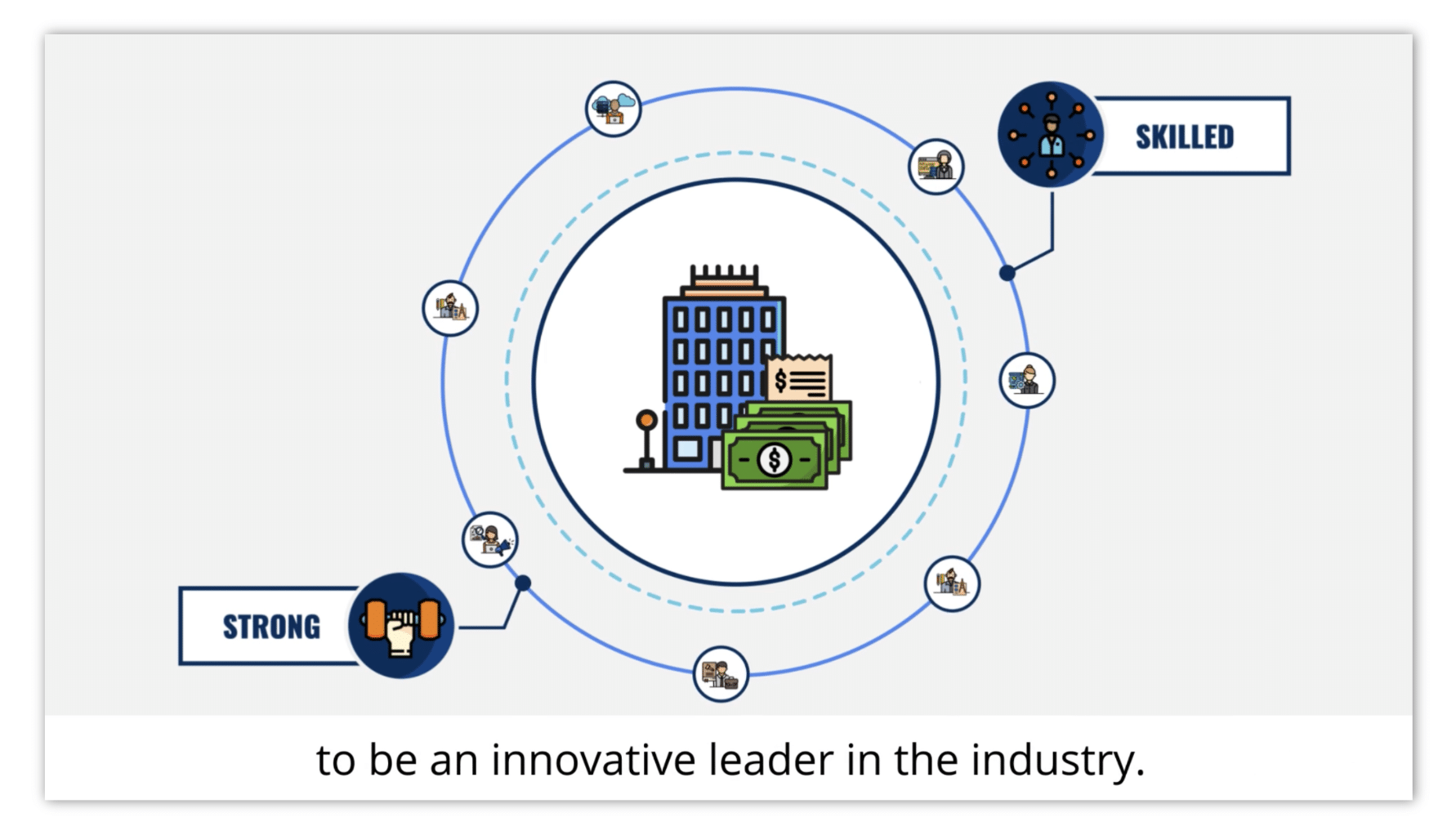
The right choice depends on the learning objective, budget, and scale.
Animation — Turning Explanation Into Movement
Instructional animation is not spectacle. It is calm, deliberate, and purposeful. When done well, motion feels almost invisible because it aligns perfectly with narration.
Good animation reveals information in the order the brain understands it, uses motion to clarify relationships, and avoids unnecessary visual noise.
Budget Breakdown (How to Think About Cost)
In any scalable instructional video, cost is primarily driven by three variables:
1) Runtime – Every additional minute multiplies work downstream — scripting, storyboarding, illustration, animation, review cycles. Runtime is the single strongest cost lever.
2) Visual complexity – Highly bespoke visuals, frequent scene changes, and one-off illustrations increase production effort without necessarily improving learning. Clear, systemized visuals scale far better.
3) Reuse and systemization – Programs that reuse illustration assets, layouts, and motion rules get cheaper over time. Programs that reinvent everything get more expensive with every module.
Earlier sections of this guide show how format choice, illustration systems, motion systems, and early alignment protect budgets while maintaining clarity. These structural decisions matter far more than surface-level labels.
Think of it this way: a Pixar film and a clean instructional animation are both technically “animation.” But the goals, workflows, and per-minute costs are fundamentally different. Understanding that distinction is what makes scalable training video possible.
For a general training video cost frame of reference, see Motifmotion’s Training Video Production page
Technical & Delivery Considerations
The sections below are intentionally brief. They exist to clarify scope, not to turn this guide into an implementation manual.
Nevertheless, consider the following technical and delivery considerations:
LMS Packaging & Deployment (SCORM / xAPI)
Once a training video production is complete, content is often (but not always) packaged and deployed inside a learning management system (LMS) for access, tracking, and reporting.
Motifmotion focuses on delivering production-ready training videos optimized for clarity, accessibility, and reuse. This allows LMS teams or implementation partners to (typically) handle integration.
Common formats include:
- SCORM 1.2
- SCORM 2004
- xAPI
Best practices are straightforward: clean exports, clear file naming, reasonable module lengths, sandbox testing, and version control. While Motifmotion doesn’t position ourselves as an LMS vendor, production decisions can affect how smoothly deployment goes, so coordination at this stage still matters.
Accessibility (Basic Production Standards)
Accessibility is often handled at the platform or LMS level, but video production plays a meaningful role in making content usable.
Instructional video should account for:
- Captions or subtitles for narrated content
- Legible on-screen text that remains visible long enough to read
- Clear, consistent audio
- Sufficient color contrast
- Purposeful motion that supports understanding rather than distracts
Most accessibility issues are inexpensive to address when considered early. In practice, accessibility and clarity tend to reinforce each other — when content is designed to be understood easily, it is usually more accessible by default.
Tools and Planning Resources
To help you apply the ideas in this guide, here are a few practical tools and references we use or recommend throughout the production process. Some are free tools from Motifmotion; others are platforms commonly used to keep large projects organized and predictable.
- Motifmotion Script Timer (free tool)
A simple way to estimate narration runtime early, so scope and pacing are controlled before storyboarding begins. - Video Production Workflow Tracker (Google Sheet)
A lightweight tracker for approvals, handoffs, versions, and milestones across script → storyboard → illustration → animation. Especially useful when producing in-house or coordinating multiple reviewers. - Storyboarding platform (recommended): Boords
A collaborative tool that keeps narration, frames, comments, and approvals in one place so decisions happen early, when changes are still inexpensive. - Pricing and scoping reference
For a general frame of reference on how style, complexity, and scale influence cost, see Motifmotion’s training video services page.
Conclusion: A Scalable Training Video System
Scalable training video productions do not come from individual tactics. It comes from training video systems that work together.
Across this guide, one pattern repeats: budgets are protected and quality stabilizes when decisions are made early, systems are reused, and improvisation is minimized. At a high level, scalable instructional video relies on five foundations:
- Teaching-focused scripting with controlled runtime
- A defined visual system governing layout, color, and illustration
- Storyboarding that assigns the right level of visual effort to each moment
- Reusable illustration assets that compound value over time
- A shared motion system that keeps animation calm, consistent, and efficient
When these systems are aligned, training video becomes easier to produce, easier to review, and easier to scale. Clarity improves, costs stabilize, and long programs remain coherent instead of fragmented.
This is the difference between making videos and building an instructional video system.
How to use this guide over time
Feel free to bookmark and return to this guide multiple times—first during planning, then again during scripting, design, and production.
If you are early in the process, start with:
- Format selection
- Pre-production foundations
- Script runtime control
If you are mid-production, revisit:
- Storyboarding
- Illustration systems
- Motion systems and reuse
This guide is designed to support long-term programs, not one-off videos.